

Parametric sets
What Are Parametric Sets?
The Parametric Training concept defines adaptation progressions in volume and intensity over time. Different strategies are used to manage these progressions.
3S employs both types of progression—volume and intensity—and provides tools to manage each. These tools are located in different parts of the platform because the progressions serve different roles in season construction.
The Parametric Set Editor, accessed from the Weekly Loads Distribution Center, manages the First Strategy: progression in training volume while maintaining a constant pace. This tutorial explains how to configure and manage that progression.
Open the Parametric Set Editor
On the Weekly Loads/Density page, click Parametric Set Editor.
The editor displays the sets included in the selected cycle, their settings, and their calculated parameters for the selected week.
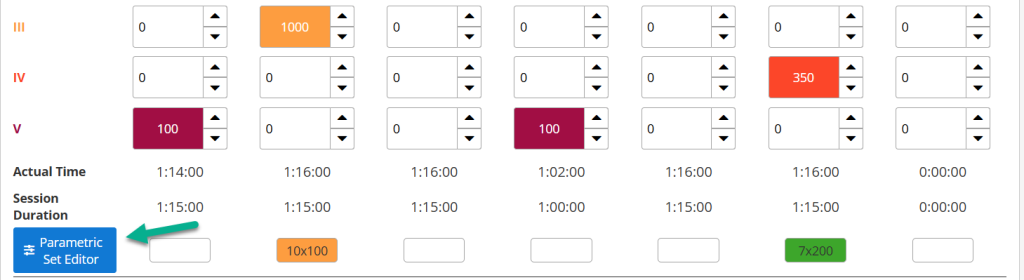
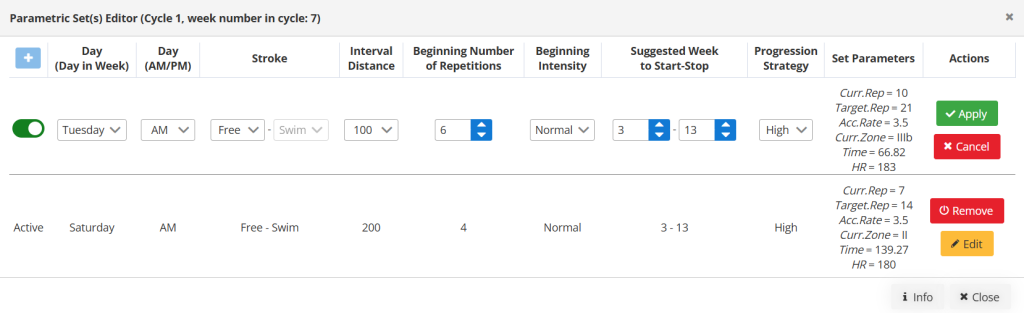
When Parametric Sets Are Included
Type 1 parametric sets (managing Volume progression) are recommended during the Accumulation phase, where they serve as a driver of aerobic capacity development.
Their start and end weeks usually correspond to that phase.
Select the Training Day and Session
By default, parametric sets are placed on Tuesday and Saturday.
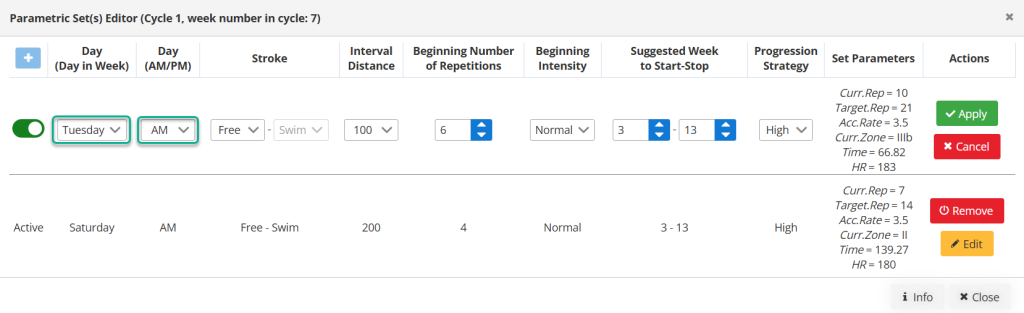
Review their placement against your weekly schedule. To change a set’s placement:
- Click Edit beside the set.
- Select the training day.
- Select the AM/PM session.
- Click Apply.
Check the resulting placement on the Weekly Loads/Density page.
Edit a Parametric Set
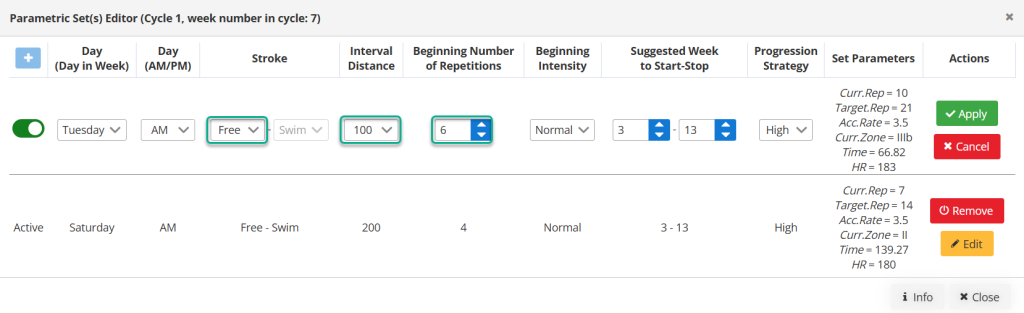
The editor also functions as a Set Designer, allowing you to adjust:
| Parameter | What it controls |
|---|---|
| Stroke | The stroke used for the set in swimming. |
| Interval Distance | The distance of each repetition. |
| Beginning Number of Repetitions | The number of repetitions at the start of the block. |
| Beginning Intensity | An adjustment relative to the default intensity for the starting week. |
| Start–Stop Weeks | The weeks during which the set is included. |
| Progression Strategy | The planned rate of increase in training volume at a sustained pace. |
Click Edit, change the required parameters, and click Apply.
Review the Calculated Set Parameters
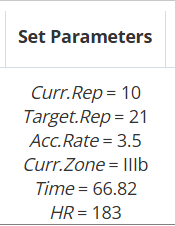
The Set Parameters column shows the calculated information for the set, including:
- Current and target numbers of repetitions.
- Accumulation rate.
- Current training zone.
- Calculated time and heart rate.
Review these values after changing the set’s settings.
Choose the Progression Strategy Carefully
The progression strategy controls the planned rate of adaptation, expressed through increasing distance at a sustained pace.
This is a sensitive planning parameter. Its selection depends on the athlete’s circumstances, adaptation potential and the training strategy selected. Week-to-week progression, considered alongside actual execution, can also help evaluate adaptation and the effectiveness of training.
Use the recommended settings as your starting point. Make adjustments with a clear understanding of their purpose and review their effects on the subsequent weeks.
Review the Effect of Parametric inclusion on Weekly Loads Distribution
Parametric sets take priority over regular training volumes.
Changing a set’s distance, repetitions, intensity, placement, or progression may affect the daily and weekly load distribution. After applying changes, return to Weekly Loads/Density and review the result.
A change in zone classification or a difference from 3S Optimum does not automatically require correction. Consider the parametric progression and effective-set requirements when assessing the distribution.